Precise schedules
Set one-time, daily, weekly, monthly, weekday, or custom repeating alarms with snooze controls and full-screen alerts.
ULTRA means Ultimate Reminders and Alarms. Create reminders from plain language, locations, Wi-Fi networks, Bluetooth devices, walking or driving activity, battery level, charger events, countdowns, and chained routines. Everything personal stays on your device.
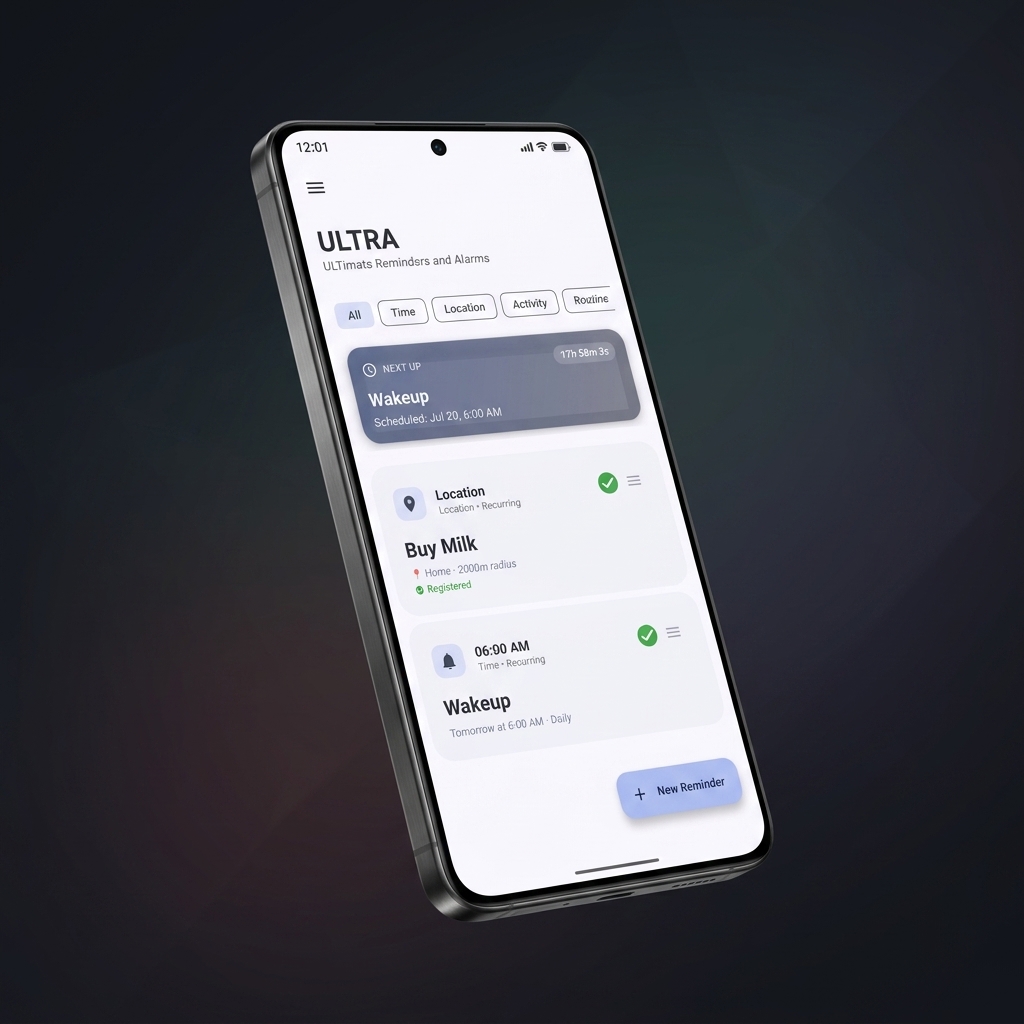
ULTRA listens for the conditions that matter, then fires the right alarm at the right moment.
Set one-time, daily, weekly, monthly, weekday, or custom repeating alarms with snooze controls and full-screen alerts.
Use geofences for reminders near stores, offices, stations, clinics, or home, with enter and exit trigger options.
Fire alarms when connecting to or leaving your Home, Office, or Gym Wi-Fi. An instant, ultra-low power alternative to location geofences.
Trigger reminders the moment you pair with your car's audio system, connect Bluetooth headphones, or disconnect accessories.
Trigger after walking, running, cycling, driving, or staying still for a chosen duration. Tracking pauses when your context changes.
Fire alarms when battery reaches a high or low threshold, temperature rises, or the charger connects or disconnects.
Start short countdowns for naps, cooking, work blocks, medication gaps, or any task where a quick timer is easier than a schedule.
Build sequences where the next reminder starts after the previous one finishes, perfect for Pomodoro, care routines, and workflows.
Smart Input turns everyday phrases into structured reminders locally on your phone.
ULTRA is strongest when a normal alarm is too simple for the job.
Buy groceries when you reach the store, pick up medicine near the pharmacy, or get a nudge when leaving office.
Paste an IRCTC ticket message and let ULTRA extract train details and prepare departure reminders.
Use templates and chained reminders for Pomodoro sessions, morning rituals, study blocks, and daily structure.
Track stock, get low-supply alerts, schedule daily essentials, and review completion history over time.
Add topics as flashcards and review them on a science-backed spaced repetition schedule. Rate each recall and ULTRA's SM-2 engine adjusts the next review automatically.
Start your workday routines when your Office Wi-Fi connects, and cue your playlist or commute checklist the instant you pair with car Bluetooth.
Privacy-first does not mean fragile. ULTRA uses Android-native systems to keep reminders dependable.
Create a reminder manually, from a template, or through Smart Input. Choose time, place, Wi-Fi, Bluetooth, activity, device, countdown, or routine logic.
Your reminders and settings are stored on-device. Android services handle geofences, activity recognition, alarms, and background checks.
Get full-screen alarms, custom sounds, vibration, spoken descriptions, smart snooze, or challenge dismissal when a reminder really matters.
The existing app screens show the reminder dashboard, creation flow, and everyday controls.
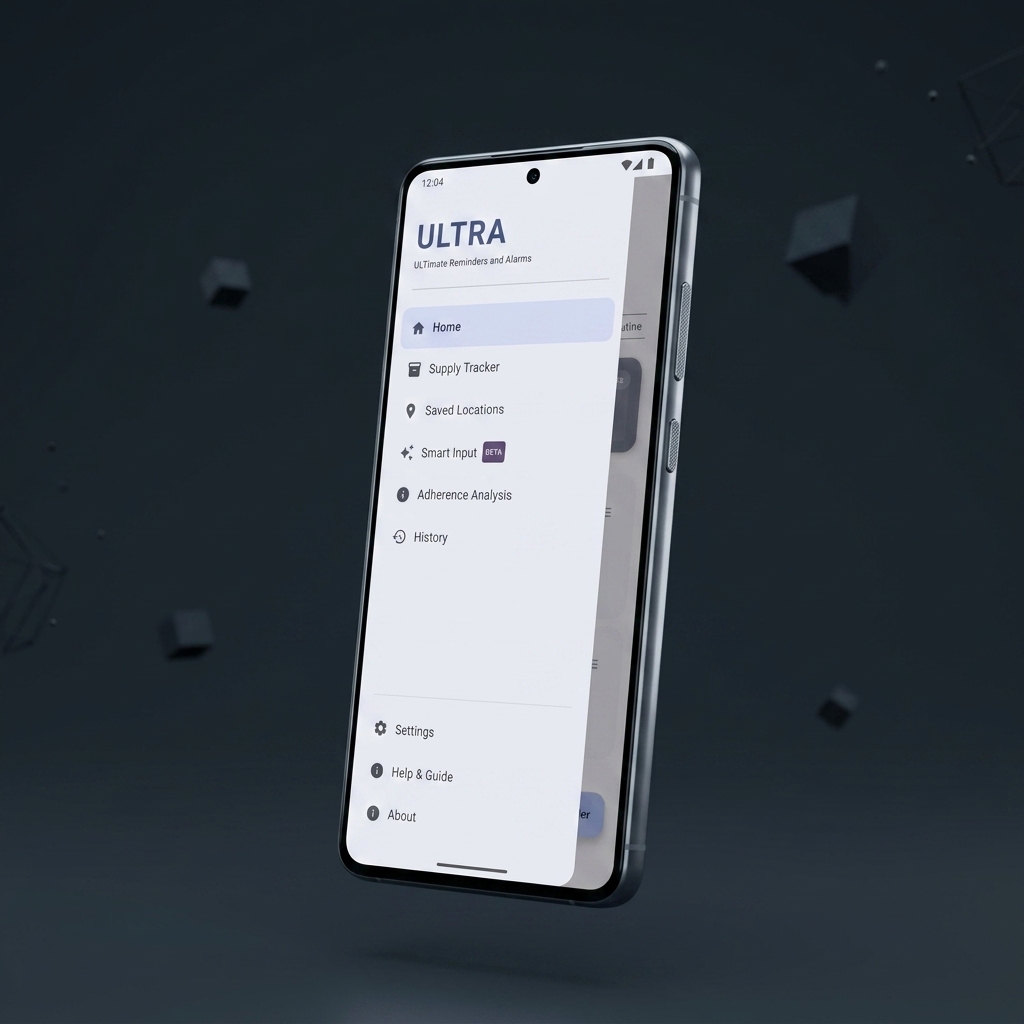
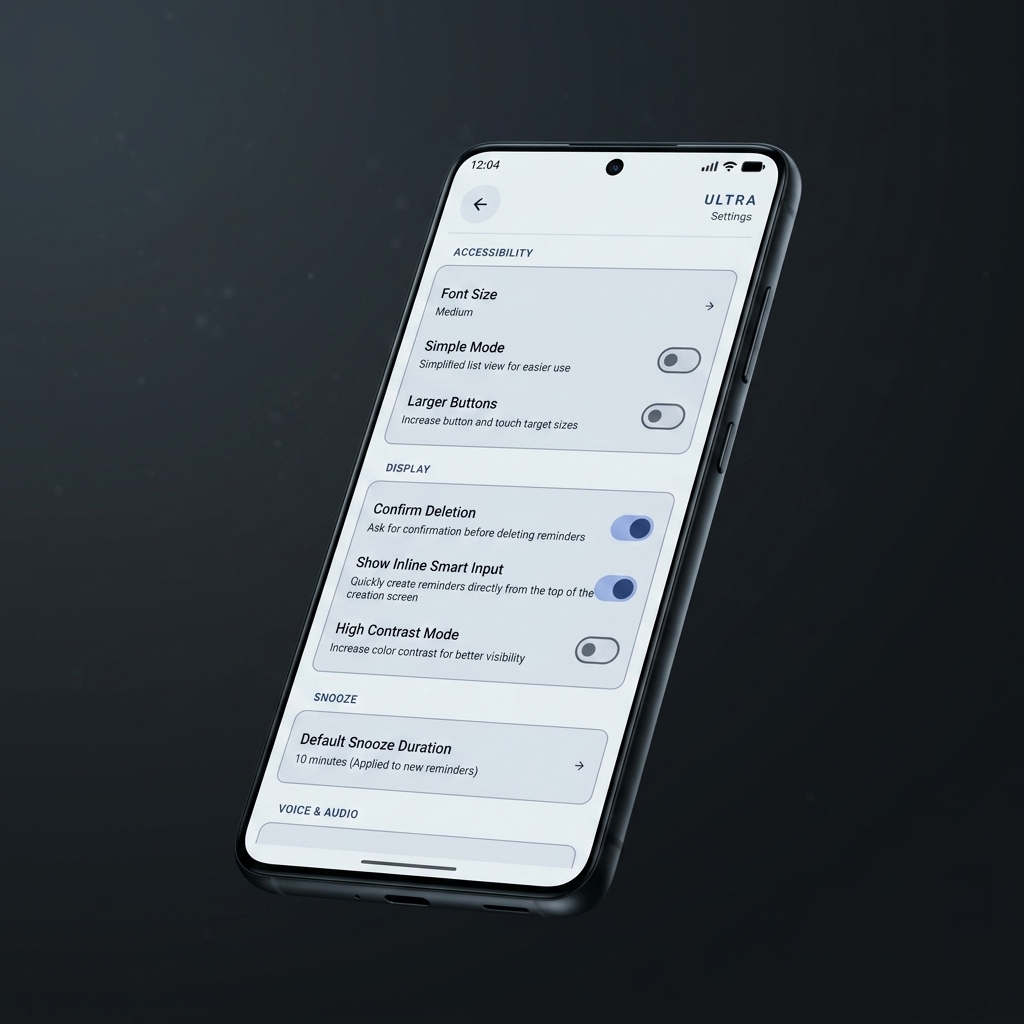
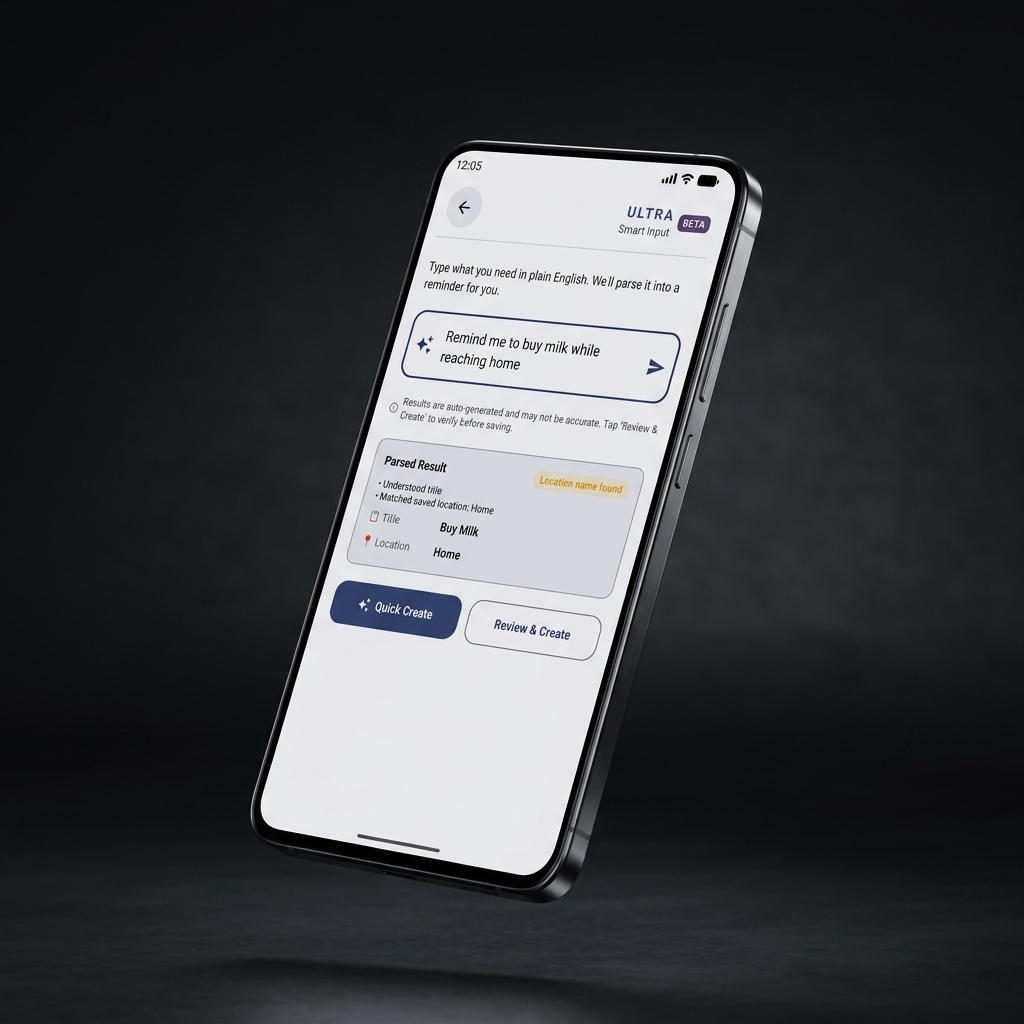
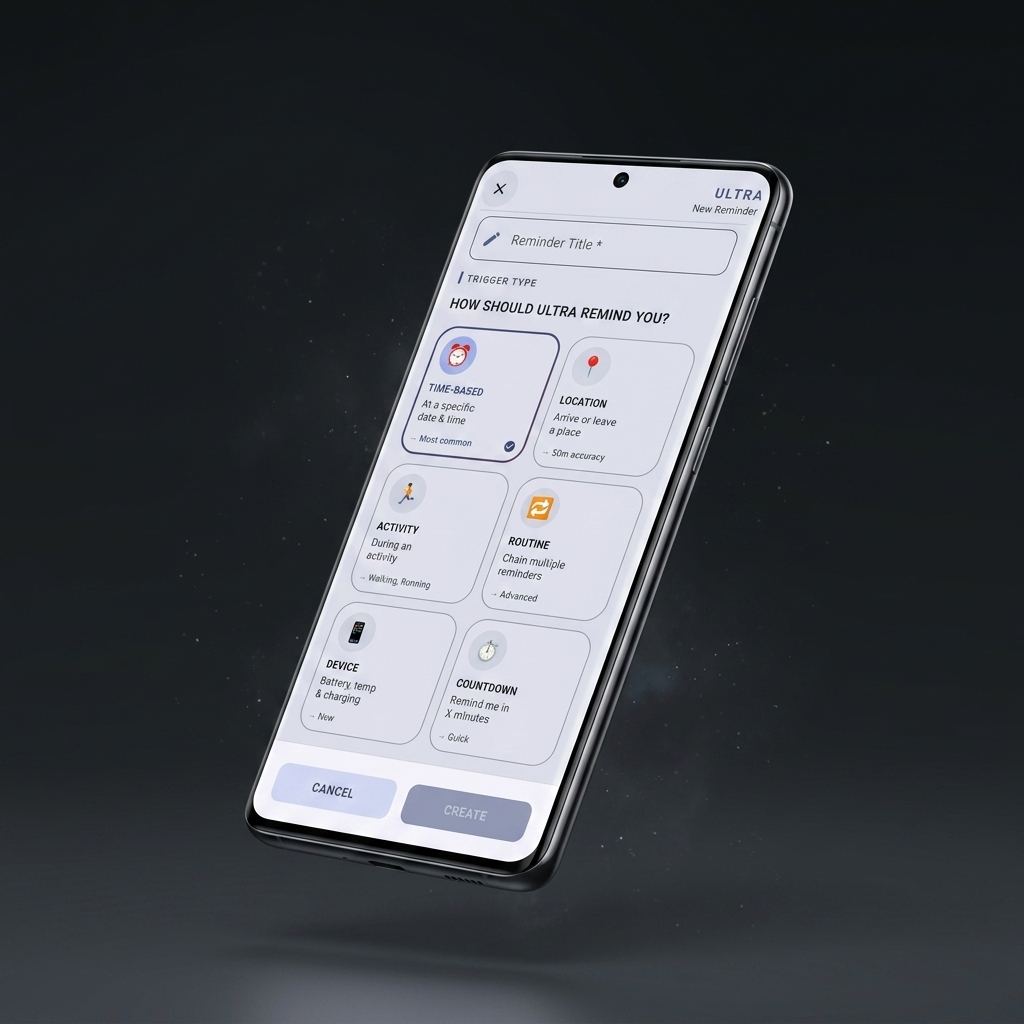
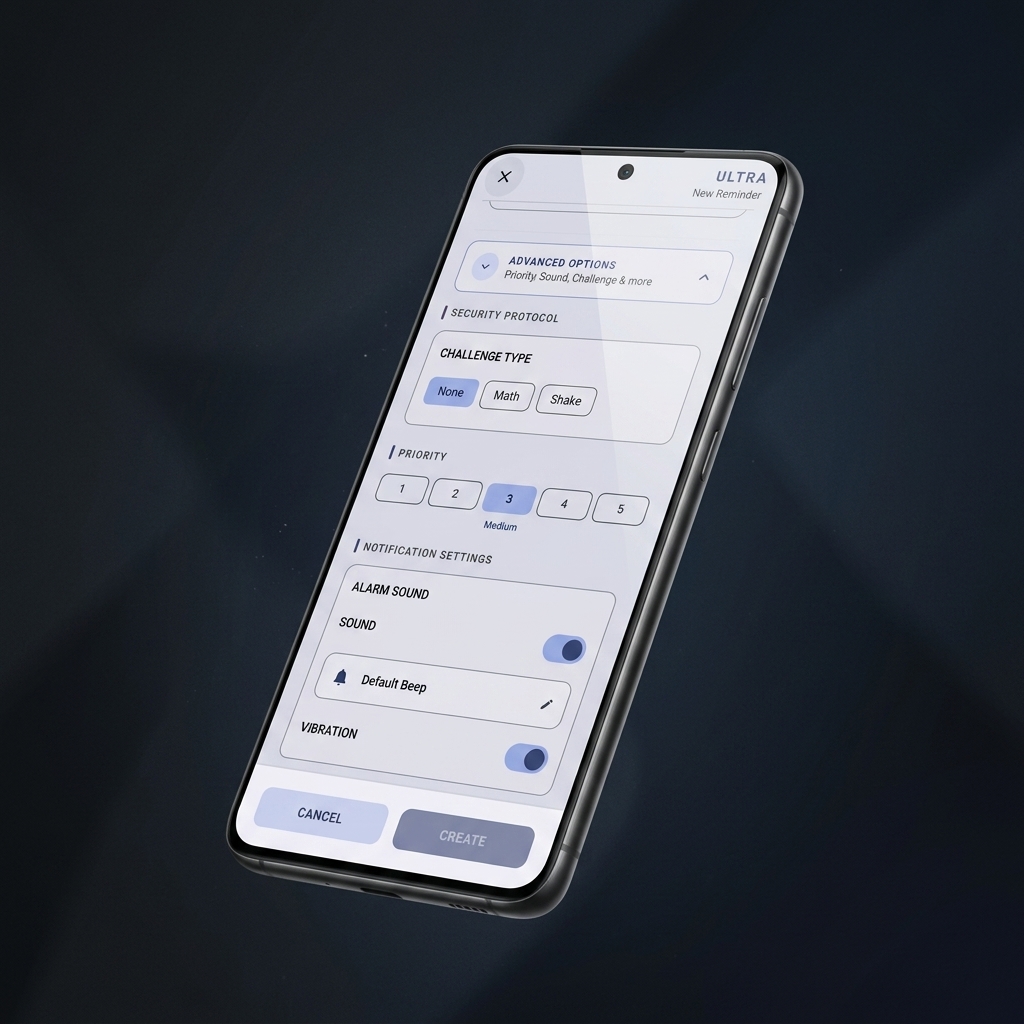
ULTRA now speaks 8 languages natively in production. Experience private alarms, location geofences, routines, notifications, and home screen widgets completely in your native tongue.
Full interface, alarm popups, background foreground services, notifications, and home screen widgets adapt automatically to your locale.
“Call dentist tomorrow at 3:00 PM”
“Llamar al dentista mañana a las 15:00”
“Zahnarzt morgen um 15:00 Uhr anrufen”
“Appeler le dentiste demain à 15h00”
“Ligar para o dentista amanhã às 15:00”
“明日午後3時に歯医者に電話する”
“कल दोपहर 3 बजे डेंटिस्ट को कॉल करें”
“Chiamare il dentista domani alle 15:00”
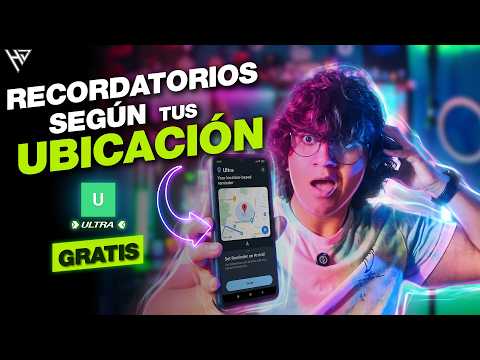
YouTube creators including HowToMen and tech publications have covered ULTRA, introducing it to more Android users worldwide.
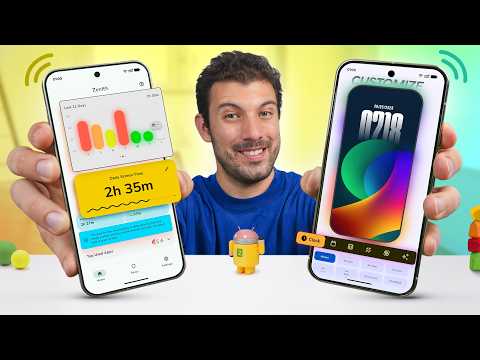 Creator feature
HowToMen and Android creator coverage
See ULTRA covered in the Android app discovery scene.
Creator feature
HowToMen and Android creator coverage
See ULTRA covered in the Android app discovery scene.
 YouTube
Feature video 2
Open this ULTRA mention on YouTube.
YouTube
Feature video 2
Open this ULTRA mention on YouTube.
 YouTube
Feature video 3
Watch another creator highlight.
YouTube
Feature video 3
Watch another creator highlight.
 YouTube
Feature video 4
Jump to the YouTube feature.
YouTube
Feature video 4
Jump to the YouTube feature.
 YouTube
Feature video 5
Open the creator video.
YouTube
Feature video 5
Open the creator video.
 YouTube
Feature video 6
Watch the YouTube coverage.
YouTube
Feature video 6
Watch the YouTube coverage.
 YouTube
Feature video 7
See this ULTRA mention.
YouTube
Feature video 7
See this ULTRA mention.
 YouTube
Feature video 8
Open the feature on YouTube.
YouTube
Feature video 8
Open the feature on YouTube.
 YouTube
Feature video 9
Watch the creator coverage.
YouTube
Feature video 9
Watch the creator coverage.
 YouTube
Feature video 10
Watch the creator coverage.
YouTube
Feature video 10
Watch the creator coverage.
 YouTube
Feature video 11
Watch the creator coverage.
YouTube
Feature video 11
Watch the creator coverage.
Real reviews from the Google Play Store. Rated 4.9/5 stars.
Explore more productivity tools by SreejithJ on Google Play.
Check out this app on Google Play.
Check out this app on Google Play.
Check out this app on Google Play.
Some of our published applications are collaborative builds! Check out more apps and creative independent engineering projects on my brother's portfolio.
Everything you need to know about ULTRA.
ULTRA uses Android-native APIs such as geofencing, WorkManager, foreground services, and activity recognition so it can monitor only what is needed for active reminders.
No. App data is stored locally on your phone. ULTRA does not require an account or cloud sync for your reminders, locations, templates, or activity-based alarms.
Smart Input can parse common phrases for time, dates, repeat patterns, locations, activity duration, device and battery triggers, priorities, bill reminders, and IRCTC ticket messages.
Core reminder creation, local storage, alarms, templates, countdowns, and on-device parsing work locally. Android permission and Play Services behavior still depends on the device environment.
Yes. ULTRA supports challenge dismissal for time-based reminders, including math challenges and shake-to-dismiss options.
Yes. ULTRA includes export and import support so you can keep a local backup and restore your reminder configuration when needed.
Simply download or update ULTRA from the Google Play Store. ULTRA automatically detects and adapts to your Android phone's system language, with full native support for English, Spanish, German, French, Portuguese, Italian, Japanese, and Hindi. You can also switch languages manually anytime directly in the app settings.
Wi-Fi and Bluetooth triggers let you fire alarms and reminders based on your wireless connections with zero GPS battery drain. You can set alarms to trigger automatically when connecting to or disconnecting from specific Wi-Fi networks (such as your Home, Office, or Gym) or Bluetooth devices (such as your car's audio system, headphones, or smartwatch).
We are actively expanding language support! If you'd like ULTRA in your native language, reach out via our contact section or email ultraappsupport@gmail.com with your preferred language.
Have questions, feedback, bug reports, or feature ideas? Connect with us directly.
Reach out for app assistance, bug reports, or queries. We typically respond within 24–48 hours.
Sharing your Android version & device model helps us investigate faster. You can also rate ULTRA on Google Play!
Connect with creator Sreejith J for collaboration, developer networking, or professional inquiries.
Follow @sreejithjayadev for latest app updates, upcoming feature announcements, and direct messages.
Download ULTRA and create alarms from time, place, Wi-Fi, Bluetooth, movement, device state, routines, and plain language.

100% free, private, and ad-free. Crafted independently with care.
Buy me a coffee